> ## Documentation Index
> Fetch the complete documentation index at: https://wb-21fd5541-dependabot-github-actions-actions-cache-6.mintlify.site/llms.txt
> Use this file to discover all available pages before exploring further.
# W&B HiveMind
> A shared dashboard for AI coding sessions. Track activity, spend, and outcomes across Claude Code, Cursor, Codex, Gemini CLI, and more with leaderboards, team views, and efficiency insights.
W\&B HiveMind is a shared dashboard for AI coding sessions. The dashboard shows what your team is doing with agents, what that work costs, and what it produces, with leaderboards, team views, efficiency insights, and more. A lightweight HiveMind daemon runs on each developer's machine, watches for coding-agent activity, and sends session transcripts to the HiveMind service.
HiveMind is designed for a dual audience:
* **Developers and AI practitioners** can review past sessions, search their team's history, and improve how they work with coding agents.
* **Engineering leaders** can track AI coding adoption, spend, and outcomes across teams and repositories.
## Quickstart
HiveMind and its documentation live on a dedicated site: [hivemind.wandb.tools](https://hivemind.wandb.tools).
### 1. Install the HiveMind daemon
On each team member's local system, install the client, authenticate, and start the daemon. Choose the method that fits your platform.
Download and install HiveMind using the signed standalone binary:
```bash theme={null}
curl -fsSL https://hivemind.wandb.tools/install -o hivemind-install.sh | sh
hivemind login
```
* On macOS, the standalone binary requires Apple Silicon. On an Intel Mac, use `uv` instead.
* Privileged access (`sudo`) is not required.
* The installer registers a background service (launchd on macOS, systemd on Linux) so the daemon keeps running and starts on login.
* Upgrades automatically with no action required.
For details about distributing and installing the standalone binary with fleet rollout tools like JAMF, Intune, Mosyle, Kandji, or Workspace ONE, see [MDM](https://hivemind.wandb.tools/docs/mdm) in the HiveMind documentation.
Install with `uv` on macOS or Linux:
```bash theme={null}
uv tool install wandb-hivemind
hivemind login
hivemind start
```
* `uv` automatically selects the correct binary for the operating system.
* When you run `hivemind start`, it registers a background service (launchd on macOS, systemd on Linux) so the daemon keeps running and starts on login.
* Upgrade with `uv tool upgrade wandb-hivemind`.
The HiveMind daemon watches for coding-agent activity and sends session transcripts to the HiveMind service.
### 2. Access the HiveMind dashboard
After the HiveMind service starts receiving information from your team, access the [HiveMind dashboard](https://hivemind.wandb.tools) to track, understand, and refine your team's AI usage over time.
From the HiveMind dashboard, your team can:
* **See sessions across agents**: One daemon captures sessions from every supported agent, with no per-agent configuration.
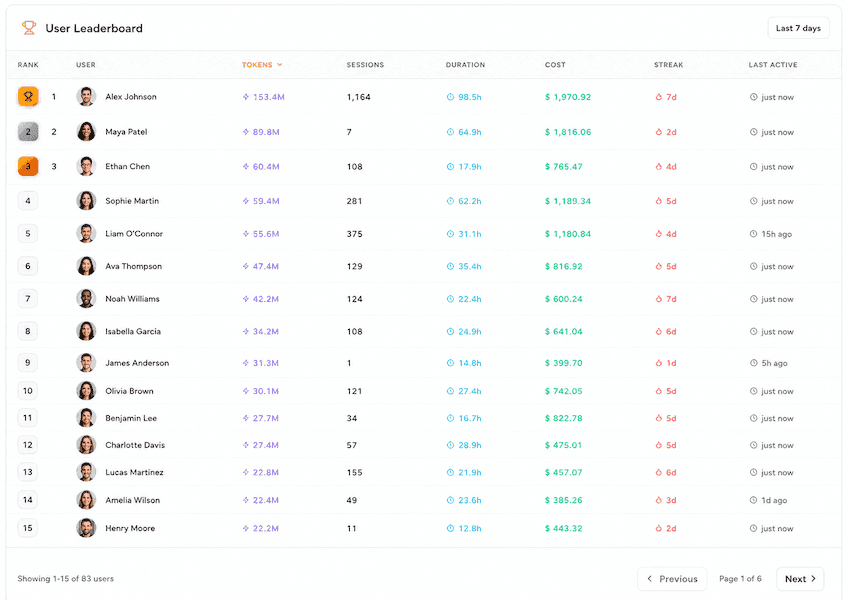
* **Track spend and usage**: View estimated cost over time, cost by model and team, token usage, and cost per merged pull request. Cost figures are estimates from published model pricing and session token counts, not billed amounts from your AI vendors.
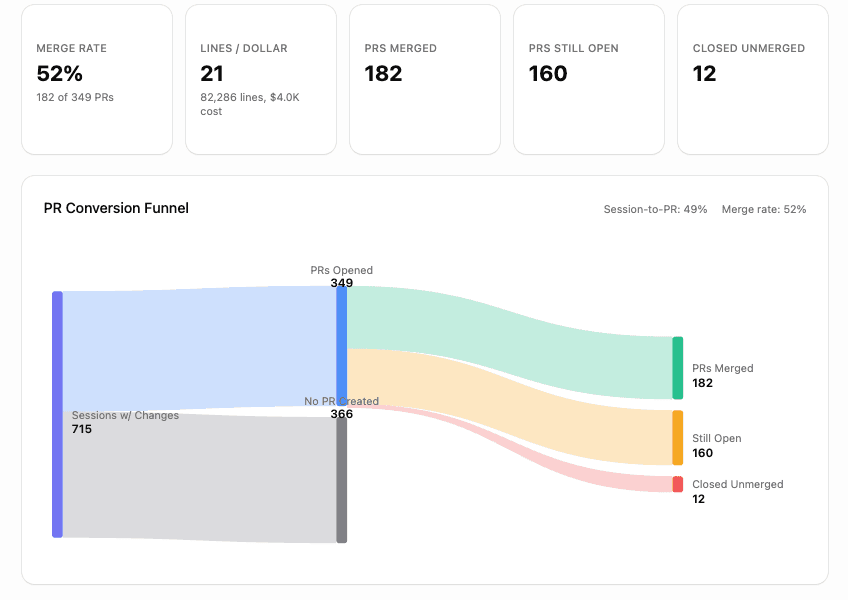
* **Measure outcomes**: Connect agent activity to pull requests, merge rates, and how much agent-written code survives.
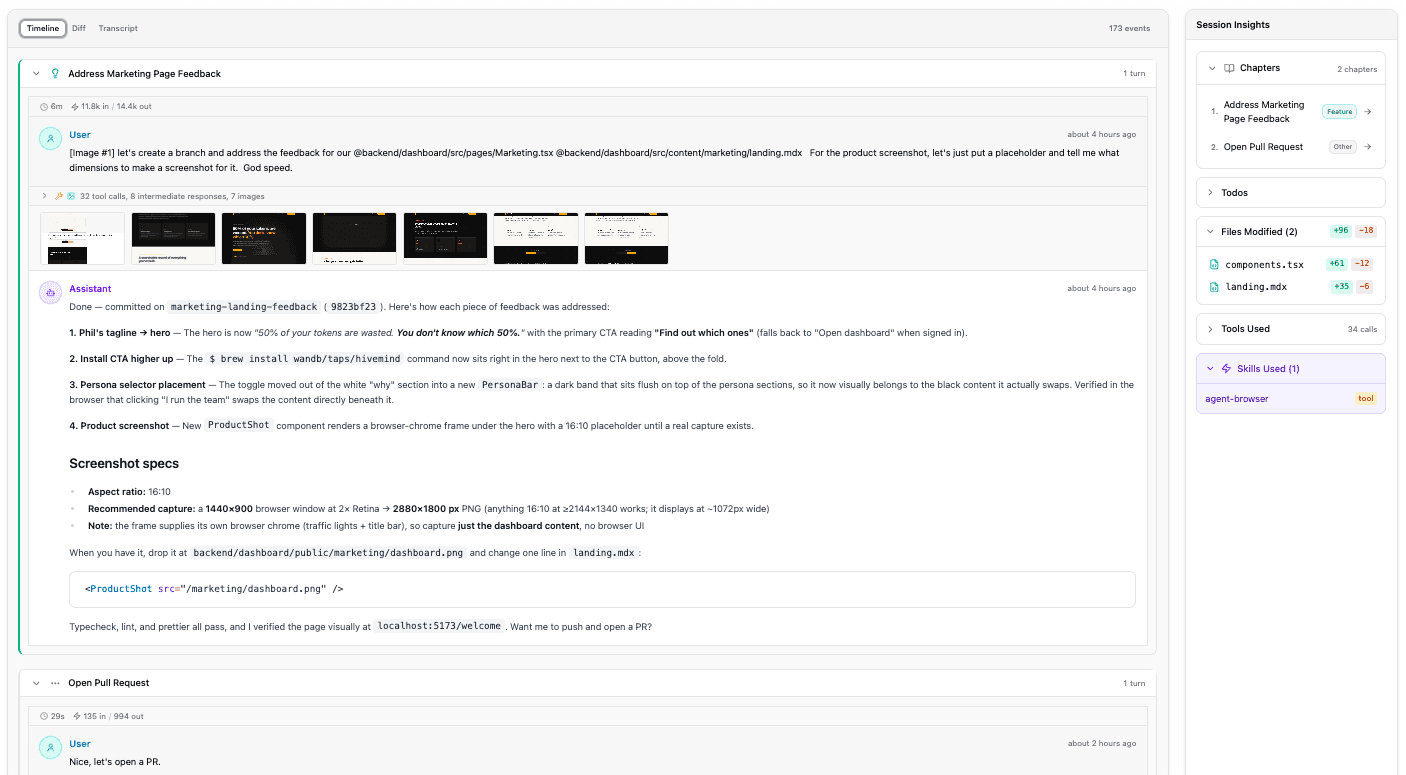
* **Reuse past work**: Use `@hivemind` inside Claude Code, Codex, or Cursor to search your team's session history and bring relevant context into your current session.
* **Learn from history**: Import existing sessions from local tools like Claude Code or Cursor to gain new insights from prior AI usage.
These screenshots show example pages in the HiveMind dashboard: a usage report, a leaderboard, and the detailed view of a session. Click a screenshot to view details.
 ## Supported agents
HiveMind captures sessions from many coding agents, with no agent-specific configuration required. For example:
* Claude Code
* Codex
* Cursor
* Gemini CLI
* GitHub Copilot CLI
* OpenCode
* Pi
For the full list, see [hivemind.wandb.tools](https://hivemind.wandb.tools).
With the daemon running, your session appears on the dashboard within around 30 seconds of using a supported agent.
## HiveMind and Weave
If you already use W\&B Weave, it works together with HiveMind. They cover different stages and answer different questions.
* Weave observes what your AI application does in production, tracking LLM and agent traces, evaluations, and quality.
* HiveMind observes how your team builds software with AI coding agents, tracking sessions, spend, and productivity.
## Next steps
See the [HiveMind documentation](https://hivemind.wandb.tools/docs/overview) for full details about setup, permissions, the CLI reference, troubleshooting, and more.
## Supported agents
HiveMind captures sessions from many coding agents, with no agent-specific configuration required. For example:
* Claude Code
* Codex
* Cursor
* Gemini CLI
* GitHub Copilot CLI
* OpenCode
* Pi
For the full list, see [hivemind.wandb.tools](https://hivemind.wandb.tools).
With the daemon running, your session appears on the dashboard within around 30 seconds of using a supported agent.
## HiveMind and Weave
If you already use W\&B Weave, it works together with HiveMind. They cover different stages and answer different questions.
* Weave observes what your AI application does in production, tracking LLM and agent traces, evaluations, and quality.
* HiveMind observes how your team builds software with AI coding agents, tracking sessions, spend, and productivity.
## Next steps
See the [HiveMind documentation](https://hivemind.wandb.tools/docs/overview) for full details about setup, permissions, the CLI reference, troubleshooting, and more.